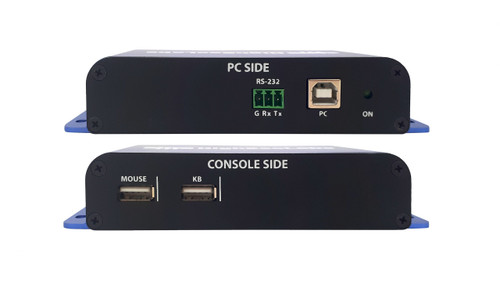
The Kramer FC10N-4 adds a configurable filtering boundary to a supported USB connection. Device compatibility and the permitted USB functions depend on the selected configuration.
FC10N-4 Detailed Features
- Apply device rules to a USB connection. The configurable filter allows traffic from approved USB devices according to rules created with the manufacturer’s configuration tool. It supports controlled peripheral access at a computer, server, or compatible KVM connection.
- Help block unauthorized peripheral access. Restricting USB device access can reduce exposure to unsuitable storage devices and other unapproved peripherals. The filter should be configured or selected for the actual device policy of the installation.
- Create allow and block rules. The manufacturer’s configuration tool provides blacklist and whitelist rules. Test the intended devices against the saved configuration before deploying the filtered connection.
- Use supported wired peripherals. The published hardware guidance supports most standard USB keyboards and mice and excludes wireless keyboards and mice. Connector compatibility alone is not sufficient to establish that a device will be accepted.
- Draw power from the computer USB port. The unit uses the PC USB connection for its power. This avoids a separate power adapter for the filter at the workstation.
- Fit the filter close to the host connection. The compact enclosure and short attached cable support installation near the computer or compatible equipment. Allow physical access for installation and any required configuration work.
Specifications
| Manufacturer part number | CPN19437 |
|---|---|
| PHYSICAL — Dimensions TX and RX | 30 (W) x 18.35 (H) x 59.5 (L) mm |
| PHYSICAL — Cable length | 141 mm |
| POWER — Power Requirements | Provided by PC USB Port |
| ENVIRONMENTAL — Operating Temperature | 32° to 104° F (0° to 40° C) |
| ENVIRONMENTAL — Storage Temperature | -4° to 140° F (-20° to 60° C) |
| ENVIRONMENTAL — Humidity | 0-80% RH, non-condensing |
| HARDWARE — Supported Hardware | The filters support most standard USB keyboards and mice. Wireless keyboards and mice should not be used and are not supported. |
| GENERAL INFO — Manufactured | BAA & TAA Compliant |
| GENERAL INFO — Product life-cycle | 10 years |
Technical Questions and Answers
What does the FC10N-4 do?
The Kramer FC10N-4 adds a configurable filtering boundary to a supported USB connection. Device compatibility and the permitted USB functions depend on the selected configuration.
What is specified for dimensions tx and rx?
30 (W) x 18.35 (H) x 59.5 (L) mm
What is specified for cable length?
141 mm
What are the power requirements requirements?
Provided by PC USB Port
What is specified for supported hardware?
The filters support most standard USB keyboards and mice. Wireless keyboards and mice should not be used and are not supported.
What is specified for product life-cycle?
10 years
Where can I check installation compatibility?
Use the manufacturer documentation linked below to verify the exact model, connections and installation requirements before installation.
How do I identify the correct version?
Match model FC10N-4 and manufacturer part CPN19437 when ordering.
Choosing the Right Product
What is the Kramer FC10N-4 used for?
It is used for USB installations requiring controlled peripheral access. Adds a configurable filtering boundary to a supported USB connection. Device compatibility and the permitted USB functions depend on the selected configuration.
Who should choose the FC10N-4?
Choose this model when your project needs USB installations requiring controlled peripheral access. Compare the model-specific connections and specifications above with the equipment in your system.
What should I check before ordering the FC10N-4?
Confirm manufacturer part CPN19437, the required connections and the installation requirements. Use the linked documentation to check compatible equipment and required accessories.