



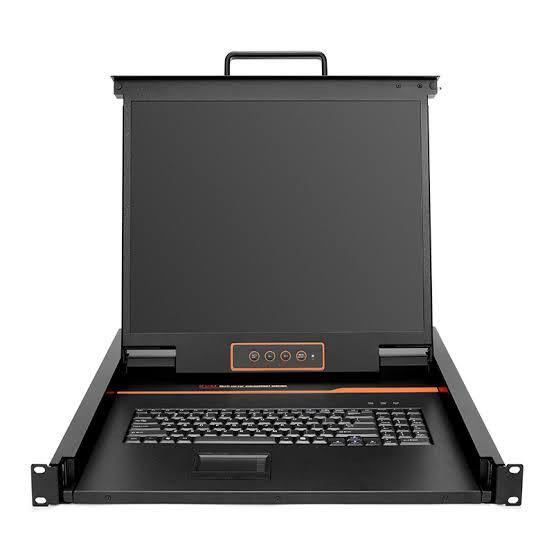
KVM Displays
KVM Displays provide visual monitoring for professional KVM environments, allowing operators to view and interact with connected computer systems.
These displays can be used as part of centralized workstations in control rooms, data centers, broadcast facilities, security operations, and corporate environments.
KVM-compatible displays are available in configurations suited to different workspace and system requirements, including professional desktop and multi-display applications.
When integrated with KVM switches or matrix systems, these displays help operators efficiently monitor multiple computer sources from centralized locations.
FAQs on KVM Displays Producrs
What are KVM Displays?
A: KVM displays are professional monitors used as visual endpoints for computers, KVM switches, extenders, matrix systems, and control-room workstations.
They are selected according to resolution, inputs, screen size, mounting, and reliability requirements.
What resolution should a KVM display support?
A: The display should support the highest resolution and refresh rate required by the connected KVM system and source computers.
For modern systems this may include Full HD, 4K UHD, or higher formats.
Can KVM displays support multiple inputs?
A: Many professional displays provide multiple video inputs for different sources or KVM outputs.
Multiple inputs can simplify integration when an operator needs more than one video path.
Can they be used in control rooms?
A: Yes, professional displays are commonly used in control rooms and command centers.
Screen size, resolution, viewing angle, ergonomics, and reliability should be considered for long-duration use.
Can KVM displays support 4K?
A: Compatible professional displays can provide 4K UHD resolution for detailed computer and AV content.
4K is useful for fine text, maps, graphics, technical interfaces, and multi-window workflows.
Why is EDID important?
A: EDID communicates display capabilities to the source and helps determine supported resolutions and formats.
Reliable EDID handling can prevent blank screens and incorrect resolution selection.
Can KVM displays be mounted?
A: Depending on the model, professional displays can be integrated into desktop, rack, console, or specialized control-room environments.
Verify VESA and physical mounting requirements for the selected display.
Are KVM displays suitable for multi-monitor workstations?
A: Yes, multiple displays can give operators simultaneous access to several windows or KVM sources.
This is useful in control rooms, security operations, production, and enterprise workstations.
What should be considered when choosing a KVM display?
A: Consider resolution, refresh rate, size, inputs, EDID behavior, mounting, brightness, and viewing requirements.
Match the display to the KVM switcher or extender so the complete signal chain supports the desired format.
Where are KVM displays used?
A: They are used in control rooms, server environments, broadcast facilities, security operations, enterprise workstations, and professional AV systems.
They provide the visual endpoint required for operators to interact with centralized computers and video sources.
Why not buy these KVM Displays from HDTV Supply today?
COMING IN SEPTEMBER.....