



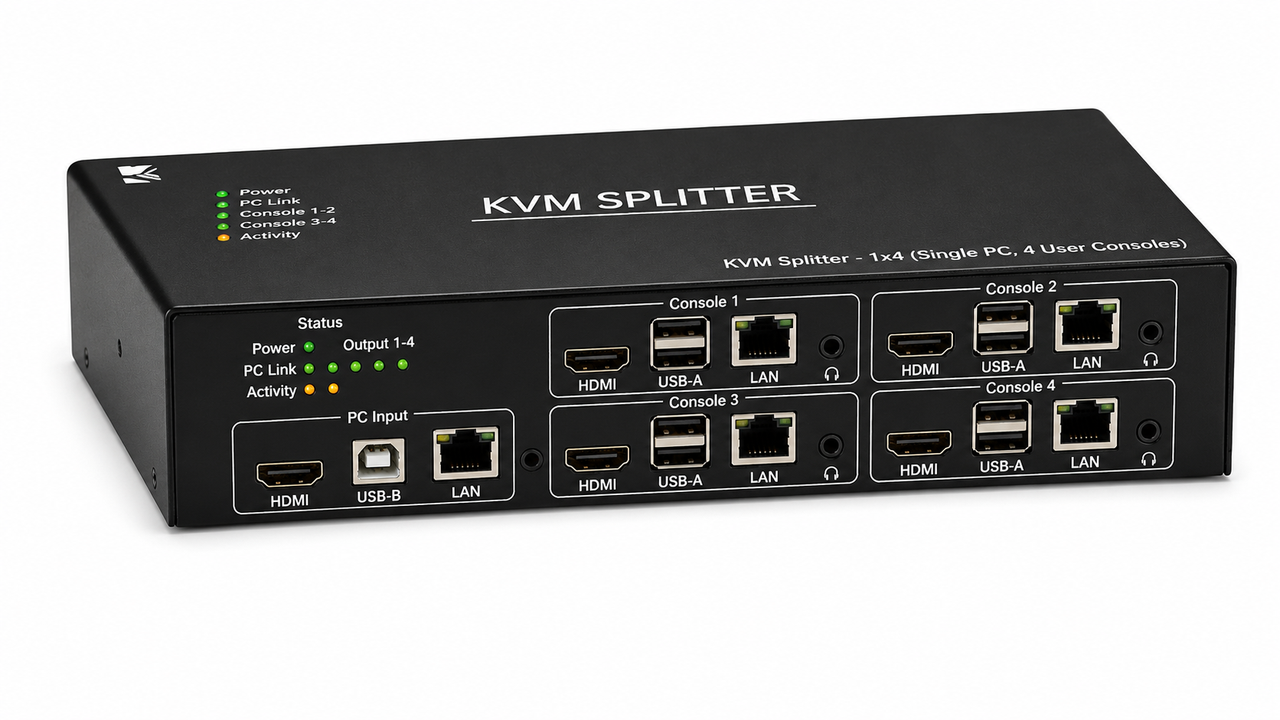
KVM Splitters
KVM Splitters are designed to distribute keyboard, video, and mouse signals from a single computer or source to multiple destinations.
They are useful when the same computer system needs to be monitored or controlled from more than one location.
KVM splitters can help simplify signal distribution in control rooms, training environments, server facilities, classrooms, and professional AV installations.
Available KVM splitter solutions support different video and connectivity requirements, allowing users to distribute high-quality video and associated control signals across compatible displays and workstations.
These products provide an efficient way to expand access to a computer without requiring separate systems at every operator location.
FAQs on KVM Splitters
What is a KVM Splitters?
A: A KVM splitter distributes a computer or KVM source to multiple destinations, allowing more than one endpoint to receive the required signals.
Depending on the design, distribution can include video, keyboard, mouse, USB, and audio signals.
What is the difference between a splitter and switcher?
A: A splitter generally provides one-to-many distribution, while a KVM switcher selects between multiple sources.
The correct product depends on whether the installation needs source duplication or source selection.
Can it support multiple displays?
A: Compatible KVM splitters can distribute video to multiple displays or remote endpoints.
The output count and supported resolution depend on the individual model.
Can it distribute USB?
A: Some KVM distribution products can extend keyboard, mouse, and USB peripheral signals along with video.
USB capability should be confirmed for the exact product because video-only distribution has different requirements.
Can audio be distributed?
A: Some KVM splitters support audio distribution with the KVM signal path.
This is useful when several destinations need synchronized computer or program audio.
What resolutions can it support?
A: Resolution support is model-specific and can range from standard computer formats to high-resolution digital video.
Always verify resolution, refresh rate, color format, and connector compatibility.
Is it useful for control rooms?
A: Yes, KVM distribution can provide multiple operators or monitoring positions with access to a common source.
This is useful when several users need visibility of a shared computer or operational display.
Can KVM splitting use CAT6 or fiber?
A: Some distribution systems use CAT6, fiber, or network infrastructure for remote endpoints.
These methods are useful when destinations are beyond the practical distance of direct copper video or USB.
Does a KVM splitter require configuration?
A: Simple splitters may require little configuration, while advanced distribution systems can require EDID, endpoint, network, or control setup.
The installation process depends on the specific technology and feature set.
How do I choose a KVM splitter?
A: Choose based on output count, resolution, USB and audio requirements, distance, connector type, and control features.
Also consider future expansion and compatibility with the existing KVM or AV infrastructure.
Why not buy these KVM Splitters from HDTV Supply today?
COMING IN SEPTEMBER.....