



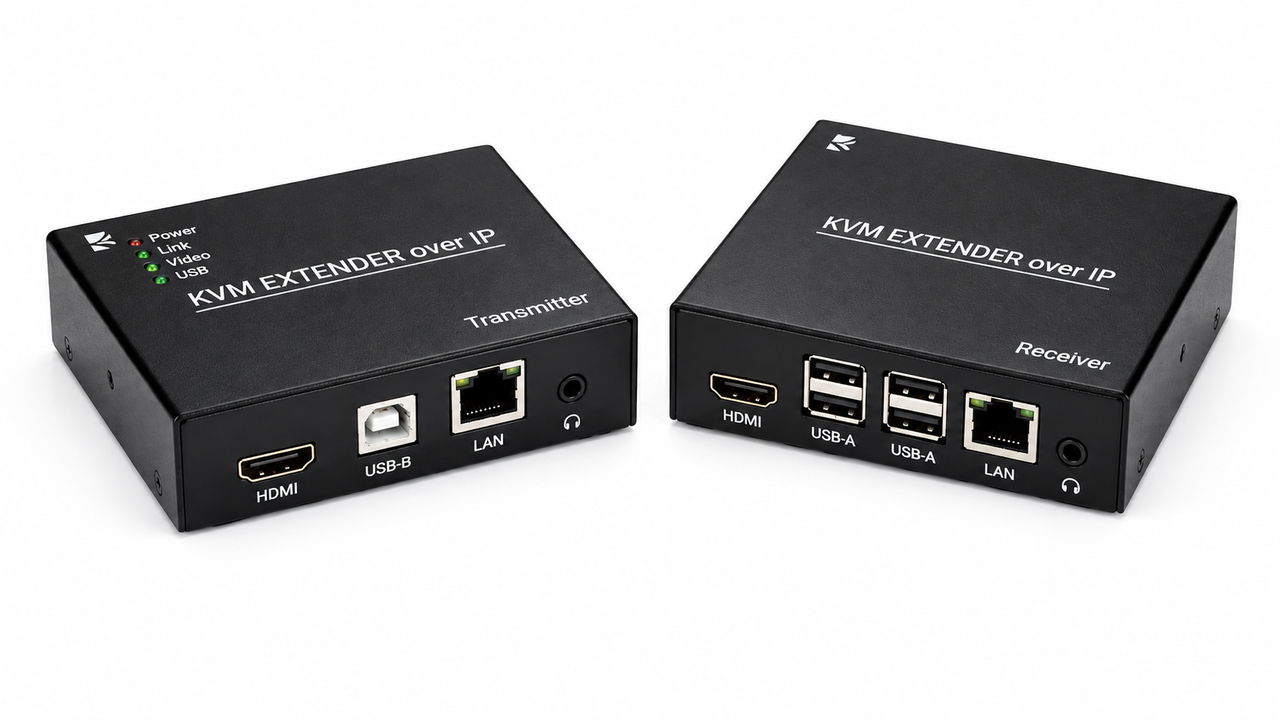
KVM Extenders
KVM Extenders allow keyboard, video, and mouse signals to be transmitted over longer distances than traditional direct connections.
Using technologies such as CAT6/CAT6a or fiber connectivity, KVM extenders can connect computers to remote operator stations while maintaining reliable signal performance.
They are particularly useful for control rooms, data centers, broadcast facilities, industrial environments, and secure installations where computers may need to be located away from users.
HDTV Supply offers KVM extenders designed for various video resolutions, transmission distances, and connectivity requirements.
These solutions provide flexible options for extending access to computers while keeping equipment centralized in a dedicated or secure location.
FAQs on KVM Extenders
What is a KVM Extenders?
A: A KVM extender transports keyboard, video, mouse, USB, and sometimes audio or control signals from a computer to a remote operator location.
It allows source equipment to be located away from the user while maintaining remote access through CAT6, fiber, or other supported transmission methods.
Why use a KVM extender?
A: KVM extenders are used when the source computer must be located farther from the operator than a normal direct connection permits.
This is common in control rooms, server environments, broadcast facilities, industrial spaces, and secure equipment rooms.
What cables can KVM extenders use?
A: Depending on the model, KVM extenders can use CAT6/CAT6A, fiber optic cable, or network infrastructure.
The transmission medium should be selected according to distance, bandwidth, electromagnetic environment, and required video and USB performance.
Can KVM extenders support 4K?
A: Yes, professional KVM extenders are available for 4K video, although the exact resolution and refresh rate are model-specific.
The entire link must be designed around the required bandwidth, cable category, distance, and connected equipment capabilities.
Can KVM extenders carry USB?
A: Many KVM extenders transport keyboard, mouse, and other supported USB signals along with video.
USB extension allows the remote operator to interact with the computer as though it were located at the workstation.
Can KVM extenders transmit audio?
A: Many professional KVM extenders include audio extension in addition to video and USB.
This is useful for production, conferencing, monitoring, and multimedia applications where the remote operator needs complete source access.
What is the maximum extension distance?
A: Maximum distance depends on the extender technology and cable type.
Fiber solutions generally provide longer reach and electrical isolation, while CAT6 solutions can provide cost-effective structured-cabling extension.
Can KVM extenders support multiple users?
A: Some advanced extender platforms support point-to-multipoint or matrix architectures with multiple remote endpoints.
For multi-user applications, select a platform specifically designed for multiple sources and destinations.
Where are KVM extenders used?
A: They are used in control rooms, broadcast facilities, server rooms, industrial environments, security operations, and professional AV installations.
They are particularly useful when computers must be separated from operators because of heat, noise, security, or environmental conditions.
How do I select a KVM extender?
A: Select based on resolution, USB bandwidth, audio requirements, distance, cable type, interfaces, and endpoint count.
Also verify EDID, HDCP, compression, latency, network requirements, and redundancy when those features are important.
Why not buy these KVM Extenders from HDTV Supply today?
COMING IN SEPTEMBER.....