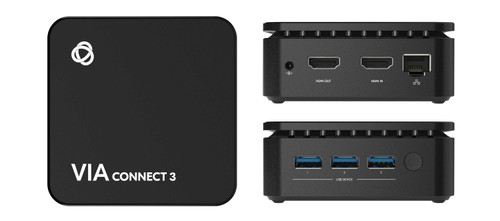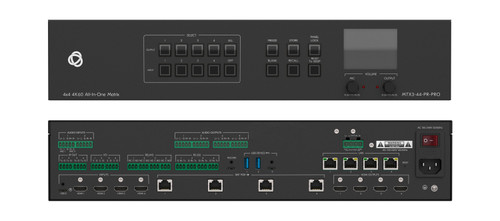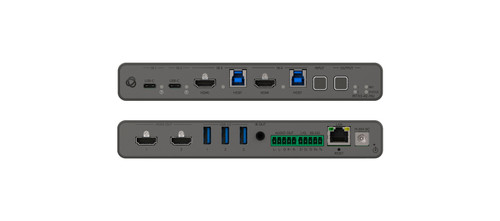





The Kramer VIA GO3 Wireless Presentation Device brings shared-screen presentations to meeting rooms and classrooms. Connect compatible laptops and mobile devices through the room network.
Kramer VIA GO3 Features
Connect VIA GO3 to the room display through HDMI and to your network through Ethernet or Wi-Fi. Participants can then share content from compatible devices on the larger screen.
- Wireless screen sharing: Present from compatible Windows and Mac computers, Chromebooks, iPhones, iPads and Android devices without passing an HDMI cable around the table.
- Four presenters on one display: Show content from up to four participants simultaneously. Teams can compare material during discussions, and instructors can review contributions together.
- Multiple ways to join: Use supported AirPlay, Miracast or browser-based connection methods. The available method depends on the presenting device and room configuration.
- 4K multimedia playback: The VIA app Multimedia feature supports video streaming up to 4K. This capability is specific to that feature; it does not promise 4K performance for every mirroring method.
- Flexible network connection: Built-in Gigabit LAN and dual-band 2.4GHz/5GHz Wi-Fi accommodate wired and wireless room networks.
- Find nearby VIA devices: Bluetooth Low Energy discovery helps users find nearby gateways. Auto Join is available when a single device is discovered.
- Presentation control: Pause and resume sharing as needed. Do Not Disturb mode helps the current presenter continue without interruption.
- Moderator preview: In Active Directory Moderator Mode, the moderator can preview a participant's content before allowing it onto the room display.
- Management across rooms: Kramer offers VSM cloud management to configure and manage multiple VIA devices. Check the applicable VSM licensing when planning deployment.
- Compact installation: The roughly 9 × 9 cm enclosure fits discreetly behind a display or near a projector, keeping equipment off the meeting table.
Applications
Team meetings, classroom presentations and shared-display collaboration.
Contact HDTV Supply for help selecting your presentation system.
Kramer VIA GO3 Specifications
| Manufacturer | Kramer |
|---|---|
| Model | VIA GO3 |
| Manufacturer part number | 87-000590 |
| Simultaneous presenters | Up to 4 |
| Network | Gigabit LAN; dual-band Wi-Fi |
| Supported display output | 1 HDMI |
| USB ports | 3 USB 3.0 Type-A |
| Power | 12V DC |
| Product dimensions (W × D × H) | 8.9 × 8.9 × 3.6 cm |
| Product weight | Approximately 0.4 kg |
| Included accessory | Power adapter |
Technical Questions and Answers
How many participants can present simultaneously?
Up to four participants can share content on the main display at once.
How does VIA GO3 connect to the network?
It supports Gigabit Ethernet and dual-band Wi-Fi.
Which display connection is used?
Connect the main display to the supported HDMI output.
Does it support Apple AirPlay?
Yes. Enable iOS mirroring in the dashboard; AirPlay discovery uses Bonjour/mDNS.
Can Windows and Android devices use Miracast?
Yes. VIA GO3 supports Miracast screen mirroring from compatible devices.
When is 4K video streaming supported?
Kramer specifies up to 4K through the VIA app Multimedia feature.
Are all physical ports available for use?
No. The manual identifies HDMI OUT 2, USB-C and analog audio as unused and covered.
What power supply is required?
VIA GO3 uses 12V DC power. A power adapter is included.
Choosing a Wireless Presentation Device
What is the Kramer VIA GO3?
A compact wireless presentation device that shares compatible computers and mobile devices on a room display.
Can I present without a dongle?
Yes. Supported clientless methods include AirPlay, Miracast and browser-based joining.
Is VIA GO3 suitable for meeting rooms and classrooms?
Its multi-user sharing and compact enclosure suit rooms where participants present from different devices.
Can multiple VIA GO3 units be managed centrally?
Kramer offers VSM cloud management for configuring and managing multiple VIA devices.