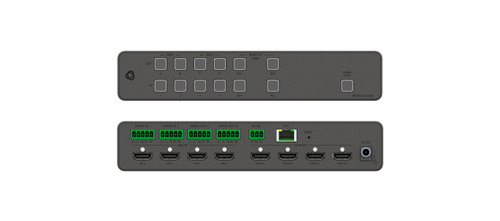



The Kramer SID-X3N accepts HDMI, DisplayPort, DVI-D and VGA sources and provides an HDMI output. Step-in control allows a connected presenter to request display access in a compatible Kramer system.
SID-X3N Detailed Features
- Accept several common presentation connectors. HDMI, DisplayPort, DVI-D, and VGA inputs let users connect a range of computers. The unit supplies an HDMI output for the downstream presentation system.
- Request display access with Step-In control. The local Step-In button can select the presenter in a compatible Kramer switching system such as the VS-62H. This function depends on compatible downstream equipment and the specified connection arrangement.
- Select inputs automatically or manually. Input selection can follow the last connected source or a manual choice. This supports both simple plug-in presentations and rooms where an operator needs explicit source control.
- Include analog source audio. Automatic analog audio detection and embedding support presentations whose sound arrives separately from the video. A local stereo audio output also provides a connection for suitable room audio equipment.
- Manage source-to-display negotiation. EDID pass-through and locking functions help establish the video formats offered to a source. These tools are useful when commissioning mixed computer and display installations.
- Maintain the digital signal path. Equalization and reclocking are included to condition supported digital signals. The stated maximum data rate is 6.75Gbps, so select operating formats and cable lengths accordingly.
- Support remote presentation controls. Connections for a remote Step-In switch and input-selection switches allow controls to be positioned conveniently. Front-panel controls remain available at the unit.
- Plan for its own power connection. The device requires an independent power adapter, which is listed as included. The USB power outlet is not a general-purpose USB switching interface for room peripherals.
Specifications
| Manufacturer part number | 20-80238090 |
|---|---|
| INPUTS | 1 HDMI on an HDMI connector, 1 DP on a DisplayPort connector, 1 DVI-D on a DVI-I connector 1 VGA on a 15-pin HD (F) connector, 1 unbalanced stereo audio on a 3.5mm mini jack |
| OUTPUTS | 1 HDMI on an HDMI connector, 1 unbalanced stereo audio in a 3.5mm mini jack |
| PORTS | 1 RS-232 3-pin terminal block for programming, 1 USB power max. 1.5A |
| CONTROLS | Front panel buttons, remote step-in switch, remote input selection switches |
| ANALOG AUDIO INPUT | Maximum level - 3Vpp |
| REMOTE LED IMPEDANCE | 5V, 300Ω approx |
| STANDARDS | HDMI with x.v.Color™ and 3D; HDCP: works with sources that support HDCP repeater mode |
| MAXIMUM DATA RATE | 6.75Gbps (2.25Gbps per graphic channel) |
| POWER CONSUMPTION | 12V DC, 1.1A |
| COMPLIANCE UL STANDARDS | CE, |
| OPERATING TEMPERATURE | 0° to +40°C (32° to 104°F) |
| STORAGE TEMPERATURE | –40° to +70°C (–40° to 158°F) |
| HUMIDITY | 10% to 90%, RHL non-condensing |
| COOLING | Convection, vents |
| ENCLOSURE TYPE | Aluminum |
| INCLUDED ACCESSORIES | Power adapter |
| Product Dimensions | 18.75cm x 11.50cm x 2.54cm (7.38" x 4.53" x 1.00" ) W, D, H |
| Product Weight | 0.5kg (1.0lbs) approx |
| Shipping Dimensions | 35.10cm x 21.20cm x 7.20cm (13.82" x 8.35" x 2.83" ) W, D, H |
| Shipping Weight | 1.4kg (3.1lbs) approx |
Technical Questions and Answers
What does the SID-X3N do?
The Kramer SID-X3N accepts HDMI, DisplayPort, DVI-D and VGA sources and provides an HDMI output. Step-in control allows a connected presenter to request display access in a compatible Kramer system.
What is specified for inputs?
1 HDMI on an HDMI connector, 1 DP on a DisplayPort connector, 1 DVI-D on a DVI-I connector 1 VGA on a 15-pin HD (F) connector, 1 unbalanced stereo audio on a 3.5mm mini jack
What is specified for outputs?
1 HDMI on an HDMI connector, 1 unbalanced stereo audio in a 3.5mm mini jack
What is specified for ports?
1 RS-232 3-pin terminal block for programming, 1 USB power max. 1.5A
What is specified for controls?
Front panel buttons, remote step-in switch, remote input selection switches
What is specified for analog audio input?
Maximum level - 3Vpp
What is specified for remote led impedance?
5V, 300Ω approx
What is specified for standards?
HDMI with x.v.Color™ and 3D; HDCP: works with sources that support HDCP repeater mode
Choosing the Right Product
What is the Kramer SID-X3N used for?
It is used for presentation tables with mixed digital and analog video sources. Accepts HDMI, DisplayPort, DVI-D and VGA sources and provides an HDMI output. Step-in control allows a connected presenter to request display access in a compatible Kramer system.
Who should choose the SID-X3N?
Choose this model when your project needs presentation tables with mixed digital and analog video sources. Compare the model-specific connections and specifications above with the equipment in your system.
What should I check before ordering the SID-X3N?
Confirm manufacturer part 20-80238090, the required connections and the installation requirements. Use the linked documentation to check compatible equipment and required accessories.