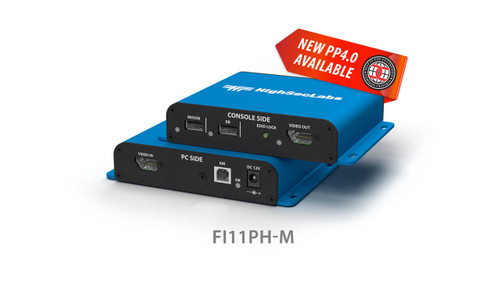
The Kramer FICE11PH-M extends a single DisplayPort/HDMI computer connection with keyboard and mouse over a copper link. The model-specific specification lists 4K30 operation at up to 100m.
FICE11PH-M Detailed Features
- Extend an isolated signal path over copper. The transmitter/receiver arrangement supports locating the computer and console farther apart. This model’s published reach is up to 100m over the specified copper link.
- Carry supported 4K30 video. The model-specific specification lists Ultra HD operation at 30Hz. Use that limit when selecting source output settings rather than applying the capabilities of other products in the extender family.
- Connect HDMI or DisplayPort equipment. Combined video connectors accommodate both cable formats at the supported endpoints. This provides flexibility when integrating a computer and display with different digital video connections.
- Use HDBaseT-based extension. The manufacturer identifies an HDBaseT transport arrangement for the extension path. Use compatible endpoints and the specified cabling; the extension connection is not a general Ethernet switch port.
- Extend operator control with the video. Keyboard and mouse support allows the operator console to be positioned away from the computer. Check the approved peripheral and connection requirements before building the remote workstation.
- Preserve the intended isolation boundary. The isolation design controls the connection between the source and its peripherals. Follow the manufacturer’s installation and initialization procedure to retain the specified operating arrangement.
- Plan the complete cable route. Actual reach depends on using the prescribed cable and installation method. Allow for endpoint power, connector access, and cable routing before deciding where the computer and display will be installed.
Specifications
| Manufacturer part number | 22-00012799 |
|---|---|
| No. of Sources | 1 |
| CONSOLE PORTS - RECEIVER — Displays | DP/HDMI |
| CONSOLE PORTS - RECEIVER — Max Resolution (Input & Output) | Supporting UHD 4K resolutions up to 3840x2160 @ 30 Hz, up to 100M* |
| CONSOLE PORTS - RECEIVER — Mouse and Keyboard | 2 x USB Type A |
| CONSOLE PORTS - RECEIVER — Link Port | RJ45 |
| COMPUTER PORTS–TRANSMITTER — Display Type | DP/HDMI |
| COMPUTER PORTS–TRANSMITTER — Mouse and Keyboard | USB Type B |
| POWER — PoE | Yes |
| POWER — Power Requirements | TX: 48V | RX: 12V DC optional |
| POWER — AC Input | 100 to 240 AC |
| POWER — Power Type | External |
| PHYSICAL — Dimensions TX and RX | 145 (W) x 105 (D) x 28 (H) mm / 5.8 (W) x 4.2 (D) x 1.1 (H) inch |
| PHYSICAL — Weight | 0.64 kg (1.4 lbs) |
| ENVIRONMENTAL — Operating Temperature | 32° to 104° F (0° to 40° C) |
| ENVIRONMENTAL — Storage Temperature | -4° to 140° F (-20° to 60° C) |
| ENVIRONMENTAL — Humidity | 0-80% RH, non-condensing |
| SOFTWARE — Supported OS | Windows, Linux, Mac |
| GENERAL INFO — Manufactured | BAA & TAA Compliant |
| GENERAL INFO — Product life-cycle | 10 years |
Technical Questions and Answers
What does the FICE11PH-M do?
The Kramer FICE11PH-M extends a single DisplayPort/HDMI computer connection with keyboard and mouse over a copper link. The model-specific specification lists 4K30 operation at up to 100m.
How many computers can it connect?
1
What does the console displays connection support?
DP/HDMI
What video resolution does it support?
Supporting UHD 4K resolutions up to 3840x2160 @ 30 Hz, up to 100M*
What does the console mouse and keyboard connection support?
2 x USB Type A
What does the console link port connection support?
RJ45
What is provided for computer-side display type?
DP/HDMI
What is provided for computer-side mouse and keyboard?
USB Type B
Choosing the Right Product
What is the Kramer FICE11PH-M used for?
It is used for a remote operator console needing copper KVM extension. Extends a single DisplayPort/HDMI computer connection with keyboard and mouse over a copper link. The model-specific specification lists 4K30 operation at up to 100m.
Who should choose the FICE11PH-M?
Choose this model when your project needs a remote operator console needing copper KVM extension. Compare the model-specific connections and specifications above with the equipment in your system.
What should I check before ordering the FICE11PH-M?
Confirm manufacturer part 22-00012799, the required connections and the installation requirements. Use the linked documentation to check compatible equipment and required accessories.