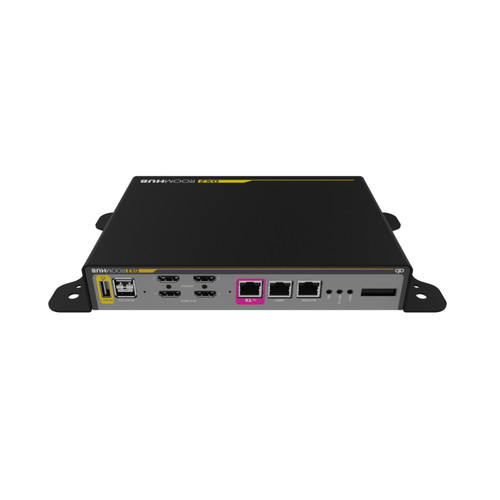
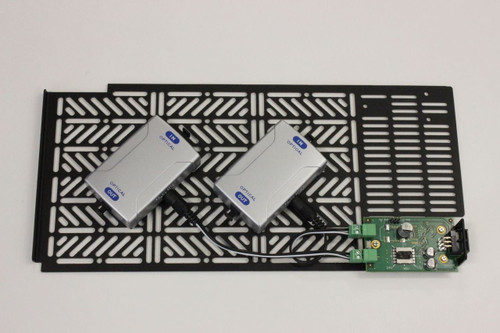
The Ashton Bentley Tablebox OLED Capacitive Touch Panel Input Selector Module is the optional OLED capacitive touch panel for the Ashton Bentley Tablebox. It gives people at the table color-coded buttons to choose between USB-C, HDMI, and auxiliary sources on a connected TX2, DX2, or VXR system.
The Tablebox Touch Panel (900-00509) connects over ABNET, the Ashton Bentley peripheral bus, rather than carrying video itself. It works with the TX2 Table Hub and DX2 Room Hub interconnectivity kit and with the VXT and VXR USB-C extension products, and it sits in the Tablebox housing.
Buttons are assigned in the DX2 web interface, where each one can trigger a Mode with its own routing, display, and codec settings. Layouts run from two to five buttons, so the panel can match the sources in your room.
Ashton Bentley Tablebox Touch Panel Features
- OLED capacitive touch surface. The Tablebox Touch Panel uses an OLED capacitive panel, so users select an input with a light touch instead of pressing a mechanical button. It sits at the table surface, where presenters already plug in their laptops.
- Color-coded input buttons. Each button carries an icon and label, such as USB-C, HDMI, Aux, or BYOM, with color-coded feedback that shows which source is active. People can see their selection without opening a menu or asking the room's technician for help.
- Manual selection at the table. It provides manual selection of inputs at the table, auxiliary inputs at the VXR or DX2, and BYOD in some systems. That helps rooms where two laptops share one display and the users need control of who is on screen.
- Layouts from two to five buttons. The DX2 manual lists layouts from two to five buttons, using USB-C, HDMI, Aux 1, Aux 2, and BYOM. Pick the layout that matches the sources in your room, because a button set to Off does not appear on the panel.
- Programmed in the DX2 web GUI. Button functions are assigned on the DX2 Control Buttons page, and each button can trigger a Mode with its own routing, display, and codec settings. Mode set-up is hidden from the User login, so only an administrator can change it.
- Connects through ABNET. The panel plugs into the ABNET port on the TX2 Table Hub or DX2 Room Hub. The VXR and VXT use an RJ45 ABNET port for Ashton Bentley peripherals, so one panel can serve a hub or a VXT and VXR pair.
- Fits the Ashton Bentley Tablebox. The panel is an option for the Tablebox (900-00491), which houses one USB-C and one HDMI cable or retractor. When installed in an Ashton Bentley table, the mechanics and cables are hidden in the table leg.
- Supports third-party tables. The Tablebox can be fixed into a third-party table, and the Under-Table Enclosure (900-00528) hides the mechanics and cables there. That lets you add the panel to an existing boardroom table, within the limits of the table's cutout.
Where the Tablebox Touch Panel Fits
Boardrooms: Give each presenter a clear way to choose between a USB-C laptop and an HDMI laptop at the table without leaving their seat.
Video conferencing rooms: Use the Aux buttons to bring in a codec or video bar source through the DX2, with the panel showing the active selection.
BYOD and hot-desk rooms: Where a UX is installed, the BYOD button changes the host port, so a shared USB device can follow the active user.
Retrofit installs: Add input selection to a third-party table by pairing the panel with the Tablebox and the Under-Table Enclosure.
Why not buy this Ashton Bentley Tablebox Touch Panel today?
Ashton Bentley Tablebox Touch Panel Specifications
- Model: 900-00509
- Product type: OLED capacitive touch panel module for the Ashton Bentley Tablebox
- Function: Manual input selection at the table, Aux inputs at the VXR or DX2, and BYOD in some systems
- Buttons: 2 to 5 configurable buttons: USB-C, HDMI, Aux 1, Aux 2, BYOM
- Feedback: Color-coded buttons
- Connection: ABNET to the TX2 Table Hub, DX2 Room Hub, or VXR and VXT ABNET port
- Configuration: DX2 built-in web server GUI
- Housing: Ashton Bentley Tablebox (900-00491)
- UPC/EAN: 7291063103033
- Warranty: 3 years
- Weight: 0.5 kg (1.1 lb)
What's in the Box
- 1 x Ashton Bentley Tablebox Touch Panel
Why not buy this Ashton Bentley Tablebox Touch Panel today?
Need a manual now? Call 833-WOLFPACK (833-965-3722) and we will email it to you.
Tablebox Out-of-Box Operation Guide (PDF)
Tablebox Product Overview (PDF)
TX2 Table Hub and DX2 Room Hub Manual (PDF)
AB X-Range Product Overview (PDF)
Why not buy this Ashton Bentley Tablebox Touch Panel today?
What does the Ashton Bentley Tablebox Touch Panel do?
It lets people at the table choose which source is shown, such as a USB-C laptop, an HDMI laptop, or an auxiliary input, by pressing color-coded buttons on an OLED capacitive panel. It gives manual input selection and some system control.
Does the Tablebox Touch Panel fit in the Tablebox?
Yes. Ashton Bentley describes it as a simple-to-install option for the Tablebox (900-00491), which houses one USB-C and one HDMI cable or retractor. Check the Tablebox guide for the fitting steps.
How does the Touch Panel connect to the system?
It connects through the ABNET port on a TX2 Table Hub or DX2 Room Hub. The VXT and VXR products also use ABNET, an RJ45 port, for Ashton Bentley peripherals such as this panel. It is not a standalone device.
How many buttons can the panel show?
The DX2 manual lists layouts of two to five buttons. Each button can be set to Off, USB-C, HDMI, Aux 1, Aux 2, or BYOM, within the limits for that button position. A button set to Off does not appear on the panel.
How do I program the Touch Panel buttons?
You set them up in the DX2 built-in web server GUI, on the Control Buttons page. Ashton Bentley's brochure says the panel can be programmed through the DX2 web server. Mode set-up is not available under a User login.
Does the Touch Panel work with the VXT and VXR?
Yes. The VXT/VXR manual lists part 900-00509 as the optional Touch Panel. It provides 3 buttons for USB-C and HDMI on the VXT and Aux 1 on the VXR, and the two inputs at the VXT can be selected from it.
What does the BYOD or BYOM button do?
If a UX is connected, pressing it changes the selected host port on the UX. If no UX is detected, it controls the 5V power on USB device ports 2 and 3, according to the DX2 manual.
Is the Touch Panel the same as the Tablebox?
No. The Tablebox (900-00491) is the enclosure that holds the cables or retractors. The Tablebox Touch Panel (900-00509) is the separate input-selection module that goes into it. You need a compatible TX2, DX2, or VXR system to use it.
Does the Tablebox Touch Panel come with a warranty?
Yes. Ashton Bentley's warranty agreement gives 3 years of standard cover. For terms or a claim, call 833-WOLFPACK (833-965-3722) and our team will help you.
Can I use it in a table that is not made by Ashton Bentley?
Yes, with the right housing. The Tablebox can be retrofitted into third-party tables, and the Under-Table Enclosure (900-00528) hides the mechanics and cables there. Confirm the table cutout before ordering.
Why not buy this Ashton Bentley Tablebox Touch Panel today?
HDTV Supply supplies room control accessories for boardrooms, conference rooms, training rooms, and video conferencing spaces.
The panel connects over ABNET to the TX2 Table Hub, DX2 Room Hub, and VXR and VXT units, and mounts in the Ashton Bentley Tablebox. It is not documented as working with third-party control systems.
Why not buy this Ashton Bentley Tablebox Touch Panel today?
This Ashton Bentley Tablebox Touch Panel includes a 3-year manufacturer warranty. Questions? Call 833-WOLFPACK (833-965-3722).