




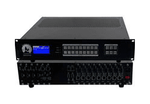
4K60 HDMI Matrix Switchers (48)
WolfPack 4K60 Modular HDMI Matrix Switchers
Connect multiple HDMI sources and displays with a WolfPack modular HDMI matrix switcher. Preconfigured systems range from 2x2 through 9x9. Each display can show a different source, or you can send the same source to several screens.
The HDMI input and output cards support 4K at 60 Hz with 4:4:4 color, HDMI 2.0, HDCP 2.2 / 2.3, and HDR. Both card types have a 3.5 mm audio output.
Modular HDMI input and output cards
Choose the number of HDMI inputs and outputs your installation needs. Connect your source devices to the input cards and your displays to the output cards. Every output can independently select any connected source.
Use HDMI 2.0 cables shorter than 20 feet for each connection from a source to the matrix and from the matrix to a display. Your sources, displays, and cables must support the resolution, refresh rate, and color format you want to use.
Choosing a configuration and adding cards later
The first number is the input count; the second is the output count. A 4x8 matrix, for example, connects four sources and eight displays. If your 9x9 chassis has unused slots, you can add compatible HDMI cards later, up to nine inputs and nine outputs.
Use these systems to distribute video in conference rooms, sports bars, restaurants, classrooms, and other spaces with multiple screens. You can control the preconfigured HDMI models through the front panel, a Web GUI, RS232, or iOS and Android apps. Each product page lists the included cards, control options, and room for expansion.
Browse the configurations below or call 833-WolfPack (833-965-3722) for help choosing a chassis, HDMI cards, and connections for your installation.
WolfPack 4K60 HDMI Matrix FAQs
Common questions about choosing, connecting, and using a WolfPack modular HDMI matrix switcher.
1. What is a WolfPack modular HDMI matrix switcher?
It connects multiple HDMI sources to multiple displays and lets you choose which source appears on each screen. Separate input and output cards make up the configuration. You can add compatible cards when the chassis has available slots.
2. Do these preconfigured HDMI matrix switchers support 4K60 at 4:4:4?
Yes. Their HDMI input and output cards support 4K at 60 Hz with 4:4:4 color. Your sources, displays, and HDMI connections must support that format too. The individual product page lists the cards included in each configuration.
3. What do sizes such as 2x2, 4x8, and 9x9 mean?
The first number tells you how many sources you can connect. The second tells you how many displays. A 2x2 connects two sources and two displays; a 4x8 connects four sources and eight displays. A 9x9 connects nine of each.
4. Can each TV show a different source?
Yes. Each output can select any connected input independently. You can put different sources on different TVs or share one source across some or all of them. The number of different sources you can show depends on the installed input cards and the source devices connected to them.
5. Do the HDMI cards support HDR and HDCP 2.2 / 2.3?
Yes. Both input and output cards support HDMI 2.0, HDCP 2.2 / 2.3, and HDR. To watch HDR content, you also need an HDR-compatible source and display.
6. Can I expand a smaller HDMI matrix configuration later?
Yes, if the chassis has available slots. The 9x9 chassis holds up to nine inputs and nine outputs. A 2x2 configuration has room for seven more compatible HDMI input cards and seven more output cards. A fully populated 9x9 has no spare slots.
7. What HDMI cables should I use?
Use HDMI 2.0 cables shorter than 20 feet for each source-to-input connection and each output-to-display connection. Choose cables that support the resolution, refresh rate, and color format you plan to use.
8. Do both HDMI input and output cards have an audio output?
Yes. Both card types have a 3.5 mm audio output. Check the product configuration and your audio equipment's connection requirements when planning your system.
9. How do I control a WolfPack modular HDMI matrix?
You can use the front-panel controls, Web GUI, RS232, or iOS and Android apps. See the product page for the available controls and setup instructions. If you plan to use a third-party control system, check its integration requirements as well.
10. How do I choose the right HDMI matrix configuration?
Start by counting your source devices and displays. Choose enough inputs for the sources and enough outputs for the displays, with spare slots if you expect to add equipment. Make sure the HDMI cards, sources, displays, and cables support your required video format. For help choosing, call 833-WolfPack (833-965-3722).