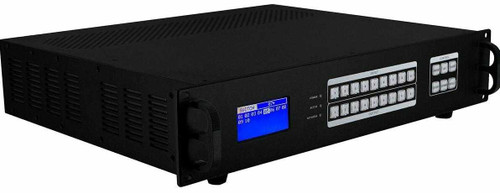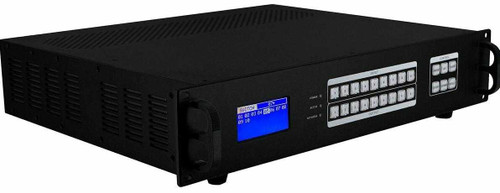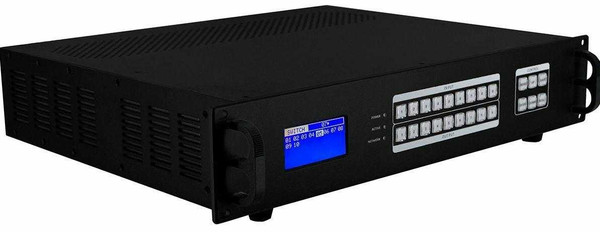

The HDMI cards support 4K at 60 Hz with 4:4:4 color, HDMI 2.0, HDCP 2.2 / 2.3, and HDR. Both input and output cards provide a 3.5 mm de-embedded audio output. Sources, displays, and HDMI cabling must support the selected video format.
The 9x9 chassis supports nine input cards and nine output cards. This 3x9 configuration has 6 unused input slots and 0 unused output slots. Compatible cards can be installed in available slots, up to nine inputs and nine outputs. HDMI sources can be routed to displays, monitors, projectors, or AV receivers. EDID management supports selectable modes and the ability to copy EDID from a connected display.
Input and output routing can be controlled through the front-panel buttons, the built-in Web GUI over the LAN, the RS-232 serial interface, or iOS and Android apps. The front-panel LCD provides status feedback. IR control and a handheld remote are not included.
WolfPack MM3x9 switching and control features:
- 4K60 4:4:4 HDMI 2.0 input and output cards with HDCP 2.2 / 2.3 and HDR support
- Optional 4K/30 HDBaseT HDMI to CATx extenders with POC (Power Over Cable), without H.264 compression
- 40 programmable routing presets with save and recall
- Closed Caption (CC) Pass-through
- Input/output control via iPad, Android, Web GUI, RS232, and front-panel buttons
- No latency
- 2-Year WolfPackCare Advance Replace Warranty
- Free Lifetime Telephone, CHAT, TEXT and Email Tech Support
- Other available input and output cards include VGA, DVI, Fiber, SDI, CVBS, YPbPr and Audio
- Optional video wall processors
MM3x9 chassis and installed card configuration:
- 1 - 9x9 modular chassis with nine input-card slots and nine output-card slots
- 3 - Single-port 4K60 HDMI input cards = 3 HDMI inputs
- 9 - Single-port 4K60 HDMI output cards = 9 HDMI outputs
- 6 - Available input slots; chassis capacity is 9 total inputs
- 0 - Available output slots; chassis capacity is 9 total outputs
MM3x9 hardware and control interfaces:
- Chassis capacity: 9 input cards and 9 output cards
- Input Cards Supported:
- 3 - 4K60 female HDMI single-port cards = 3 HDMI inputs
- Output Cards:
- 9 - 4K60 female HDMI single-port cards = 9 HDMI outputs
- HDMI cable distance (input and output): Use HDMI 2.0 cables shorter than 20 feet.
- Modular design with slots for 9 input cards and 9 output cards
- EDID management for connecting sources and displays
- Front-panel LCD display for status feedback
- Front-panel push buttons for local switching
- IP controlled (WEB GUI) via built-in web server and LAN
- RS-232 Serial interface for remote control
- Fast switching without a black, blue, or split screen during switching
- Choose from several supported resolutions
- Hot-pluggable
- Uses a dual control system
- Control via Web / RS232 and Front Buttons control (no remote control)
- 2U Rack-mountable
Free Android and iOS App: The IOS App is available in the Apple App Store. Search for "MCS" or "Matrix Control System" to install it on your iPad or iPhone, or use the following link.MCS-matrix control system to install it directly. For the Android App click the following link and download it. Go to Android App for control of this HDMI matrix switch.
WolfPack MM3x9 modular HDMI routing system
4K60 HDMI Input and Output Card Specifications
| Specification | Input Cards | Output Cards |
|---|---|---|
| Video resolution | 4K at 60 Hz, 4:4:4 | 4K at 60 Hz, 4:4:4 |
| HDMI | HDMI 2.0 | HDMI 2.0 |
| Content protection | HDCP 2.2 / 2.3 | HDCP 2.2 / 2.3 |
| HDR | Supported | Supported |
| Audio | 3.5 mm de-embedded audio output | 3.5 mm de-embedded audio output |
| HDMI cable requirement | HDMI 2.0 cable shorter than 20 feet | HDMI 2.0 cable shorter than 20 feet |
These specifications apply to the HDMI input and output cards. Optional HDBaseT cards and extenders have separate resolution and distance specifications.
MM3x9 chassis specifications:
- Modular Configuration: 9 inputs/9 outputs card cage
- HDMI cable distance (input and output): Use HDMI 2.0 cables shorter than 20 feet.
- Supported Input & Outputs Signals:
- HDMI: up to 4K60
- Control interfaces: TCP/IP, RS232, and front-panel buttons
- Power Supply: 100 to 240VAC, 50-60Hz
- Power Consumption: 50W 70W
- Operating Temperature: -10℃ to 50℃
- Storage Temperature: -25℃ to 55℃
WolfPack MM3x9 modular HDMI routing system
WolfPack MM3x9 4K60 HDMI Matrix Switcher FAQs
What is the WolfPack MM3x9 HDMI matrix switcher?
The MM3x9 is a preconfigured 3-input, 9-output HDMI matrix built on a 9x9 modular chassis. Its single-port HDMI cards support 4K at 60 Hz with 4:4:4 color, HDMI 2.0, and HDR. Each output is independently routable to any input.
Can the MM3x9 show different sources on 9 TVs?
Yes. The switching backplane allows each of the 9 HDMI outputs to select any of the 3 HDMI inputs independently. The system supports separate source assignments across the displays or distribution of one source to all 9 outputs.
Does the MM3x9 support 4K60 with 4:4:4 color?
Yes. Both input and output cards support 4K at 60 Hz with 4:4:4 color. The source device, receiving display, and HDMI cable must support the selected resolution, refresh rate, and color format.
Does the MM3x9 support HDR and HDCP 2.2 or 2.3?
Yes. The input and output cards support HDMI 2.0, HDCP 2.2 / 2.3, and HDR. HDR operation requires compatible source content, a source device, and a display.
Do both the input and output cards have an audio connection?
Yes. Each HDMI input card and HDMI output card provides a 3.5 mm de-embedded audio output in addition to its HDMI connection for video and HDMI audio.
What HDMI cables and cable lengths should I use with the MM3x9?
Use HDMI 2.0 cables shorter than 20 feet on both sides of the matrix. The limit applies separately to each source-to-input cable and each output-to-display cable.
Can I expand the WolfPack MM3x9 configuration?
The MM3x9 uses 3 input cards and 9 output cards in a 9x9 modular chassis. It has 6 unused input slots and 0 unused output slots. Add compatible cards in the available slots to expand the configuration up to nine inputs and nine outputs.
How can I control the WolfPack MM3x9?
Routing control is available through the front-panel buttons, Web GUI over the LAN, RS232 serial interface, and iOS or Android apps. Optional third-party control drivers are available; confirm the required driver for the control system before ordering.
Can I save and recall switching configurations?
Yes. The MM3x9 stores 40 routing presets. Save an input-to-output configuration as a scene, then recall it to restore the saved source assignments.
Can the MM3x9 use HDBaseT cards or CAT6 extenders?
Compatible modular configurations can use optional HDBaseT cards and extenders. These have their own resolution, receiver compatibility, and cable-distance limits. Check the complete configuration with HDTV Supply before ordering, including whether the selected extender supports 4K60 4:4:4.
9x9 Modular Matrix Switcher Brochure
DO NOT USE EZ45 CAT6 CONNECTORS WITH HDBaseT PRODUCTS
EDID Learning Instruction for the Cards
RS232 Commands in HEX and ASCII format
MM3x9 technical documentation
Need a different configuration? Complete and submit the questionnaire below. HDTV Supply will send a quote based on your requirements within an hour.
For help choosing a configuration, call 833-WOLFPACK or 833-965-3722, or email customerservice@hdtvsupply.com