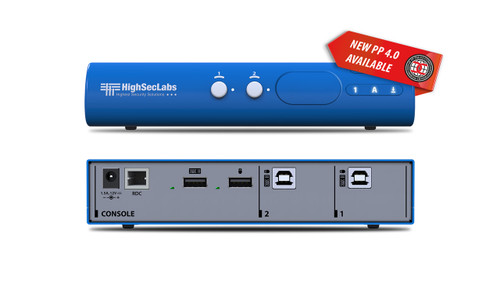






The Kramer SM40NU-N shares keyboard and mouse control across 4 computers while their displays remain connected directly to the computers. It switches supported peripherals rather than routing video.
SM40NU-N Detailed Features
- Control multiple computers with one keyboard and mouse. This 4-computer KM switch reduces duplicated input devices at an operator position. Users can work across several systems while keeping a familiar keyboard and mouse at the desk.
- Leave the computer displays connected directly. Video does not pass through this KM switch. Each computer retains its own monitor connections, allowing its information to remain visible while keyboard and mouse control moves elsewhere.
- Move between configured screen positions. Cursor-based switching supports a natural transition between computers when the pointer crosses configured display boundaries. Match the software layout to the physical monitor arrangement during setup.
- Configure a multi-monitor workspace. The manufacturer documents arrangements with up to four displays per computer. Extended and duplicated modes have configuration requirements; supported driver-based multi-monitor operation is Windows-specific.
- Reduce desk clutter without hiding information. A shared input-device set frees space while the directly connected screens remain available. This suits monitoring positions where several computer interfaces need to be visible at once.
- Share suitable USB 3.0 devices. The USB-capable office model supports SuperSpeed peripheral data connections and high-power charging ports. Match the attached devices and cables to the supported USB functions.
- Use supported copy-and-paste functions. The manufacturer lists text and file transfer between connected computers without requiring a network link between them. Check the required software and data-sharing policy when configuring this office workflow.
Specifications
| Manufacturer part number | 22-00004090 |
|---|---|
| Console Ports | 2 USB–A connectors for keyboard and mouse |
| Console Ports | 4 USB–A 3.0 connectors for USB devices |
| Console Ports | 1 3.5mm mini jack for unbalanced stereo audio |
| Console Ports | 1 3.5mm mini jack for microphone |
| Console Ports | 1 RJ–45 connector for control (RDC). |
| Computer Ports | 4 USB–B connectors for keyboard and mouse |
| Computer Ports | 4 USB–B 3.0 connectors for USB devices |
| Computer Ports | 4 3.5mm mini jacks for unbalanced stereo audio |
| Computer Ports | 4 3.5mm mini jack for microphone. |
| Power Consumption | 12V DC, 1.5A. |
| AC Input | 100V to 240V AC. |
| Power Type | External. |
| Operating Temperature | 0° to +40°C (32° to 104°F). |
| Storage Temperature | –20° to +60°C (–4° to 140°F). |
| Humidity | 0% to 80%, RH non–condensing. |
| Supported OS | Windows, Linux, Mac. |
| Product Life-cycle | 10 years. |
| Product Dimensions — PRODUCT DIMENSION | 34.20cm x 14.80cm x 4.20cm (13.46" x 5.83" x 1.65" ) W, D, H |
| Product Weight | 1.3kg (2.9lbs) approx. |
| Shipping Dimensions — SHIPPING DIMENSION | 42.00cm x 24.50cm x 8.50cm (16.54" x 9.65" x 3.35" ) W, D, H |
| Shipping Weight | 1.9kg (4.2lbs) approx. |
Technical Questions and Answers
What does the SM40NU-N do?
The Kramer SM40NU-N shares keyboard and mouse control across 4 computers while their displays remain connected directly to the computers. It switches supported peripherals rather than routing video.
What does the console console ports connection support?
2 USB–A connectors for keyboard and mouse
What is provided for computer-side computer ports?
4 USB–B connectors for keyboard and mouse
What are the power consumption requirements?
12V DC, 1.5A.
What are the ac input requirements?
100V to 240V AC.
What are the power type requirements?
External.
What is specified for operating temperature?
0° to +40°C (32° to 104°F).
What is specified for supported os?
Windows, Linux, Mac.
Choosing the Right Product
What is the Kramer SM40NU-N used for?
It is used for multi-computer desks with continuously connected displays. Shares keyboard and mouse control across 4 computers while their displays remain connected directly to the computers. It switches supported peripherals rather than routing video.
Who should choose the SM40NU-N?
Choose this model when your project needs multi-computer desks with continuously connected displays. Compare the model-specific connections and specifications above with the equipment in your system.
What should I check before ordering the SM40NU-N?
Confirm manufacturer part 22-00004090, the required connections and the installation requirements. Use the linked documentation to check compatible equipment and required accessories.