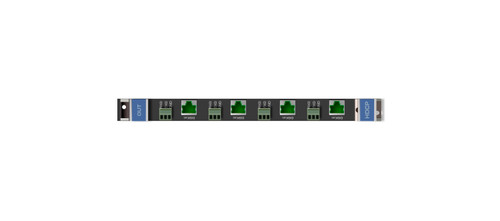
The Kramer DGKat-IN4-F32 receives four DGKat video and RS232 links in a compatible VS-3232 modular matrix. It connects remote sources through compatible DGKat twisted-pair transmitters.
DGKat-IN4-F32 Detailed Features
- Add four DGKat input channels. The card expands a compatible VS-3232-series modular matrix with four twisted-pair source links. It supports extending the matrix system beyond equipment located directly beside the chassis.
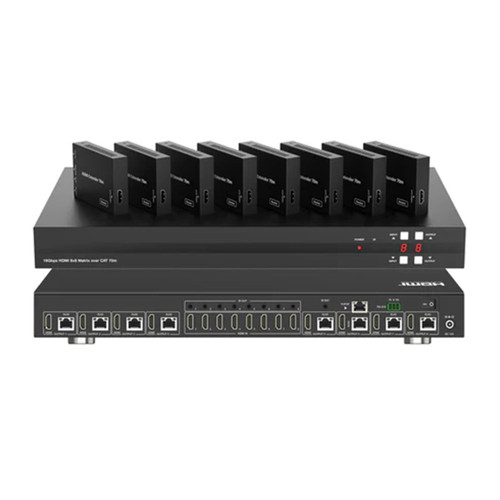
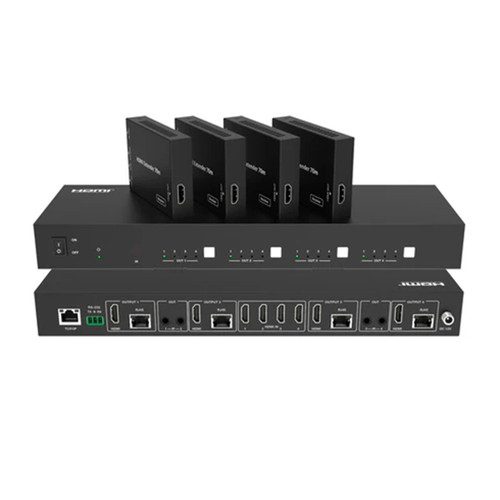
- Receive remote sources. Compatible DGKat transmitters send source signals to the card over twisted-pair cable. This lets a source be located away from the central switching chassis.
- Carry control with the video. RS-232 support provides a control path alongside compatible AV signals. Integrators can include serially controlled equipment in the same distributed installation.
- Choose cabling for the required reach. DGKat performance depends on the paired devices, signal resolution, and cable installation. Use the recommended Kramer cable and observe the model’s resolution-dependent distance limits.
- Support compatible HDMI and protected signals. The manufacturer lists HDMI and HDCP compliance along with 3D pass-through. Check compatibility across the complete source, matrix, endpoint, and display chain.
- Condition the transmitted signal. Equalization and reclocking are part of the documented DGKat signal path. These functions support suitable signal delivery within the system’s specified limits.
- Install in the supported matrix chassis. This is a modular expansion card, not a standalone extender. Confirm the exact matrix and endpoint compatibility before ordering, including the required power arrangement for remote devices.
Specifications
| Manufacturer part number | 20-70002998 |
|---|---|
| PORTS | 4 TP ports on RJ–45 connectors, 4 serial ports on 3–pin terminal blocks |
| BANDWIDTH PER CHANNEL | Video — 1.65Gbps |
| BANDWIDTH PER CHANNEL | Serial Data — 19200 |
| TOTAL BANDWIDTH | Video — 4.95Gbps |
| TOTAL BANDWIDTH | Serial Data — 19200 |
| MAXIMUM RANGE | 90m (300ft) — 1080i@60Hz |
| 3D PASS THROUGH | Supported |
| STANDARDS COMPLIANCE | HDCP 1.4, HDMI 1.3a |
| POWER CONSUMPTION | 22W |
| OPERATING TEMPERATURE | 0° to +40°C (32° to 104°F) |
| STORAGE TEMPERATURE | –40° to +70°C (–40° to 158°F) |
| HUMIDITY | 10% to 90%, RHL non–condensing |
| SAFETY REGULATORY COMPLIANCE | CE, FCC |
| ENVIRONMENTAL REGULATORY COMPLIANCE | Complies with appropriate requirements of RoHs and WEEE |
| Product Dimensions — PRODUCT DIMENSION | 22.00cm x 18.80cm x 2.00cm (8.66" x 7.40" x 0.79" ) W, D, H |
| Product Weight | 0.3kg (0.6lbs) approx. |
| Shipping Dimensions — SHIPPING DIMENSION | 27.00cm x 23.00cm x 5.60cm (10.63" x 9.06" x 2.20" ) W, D, H |
| Shipping Weight | 0.4kg (1.0lbs) approx. |
Technical Questions and Answers
What does the DGKat-IN4-F32 do?
The Kramer DGKat-IN4-F32 receives four DGKat video and RS232 links in a compatible VS-3232 modular matrix. It connects remote sources through compatible DGKat twisted-pair transmitters.
What is specified for ports?
4 TP ports on RJ–45 connectors, 4 serial ports on 3–pin terminal blocks
What is specified for bandwidth per channel?
Video — 1.65Gbps
What is specified for total bandwidth?
Video — 4.95Gbps
What is specified for maximum range?
90m (300ft) — 1080i@60Hz
What is specified for 3d pass through?
Supported
What are the power consumption requirements?
22W
What is specified for operating temperature?
0° to +40°C (32° to 104°F)
Choosing the Right Product
What is the Kramer DGKat-IN4-F32 used for?
It is used for adding remote DGKat sources to a modular matrix. Receives four DGKat video and RS232 links in a compatible VS-3232 modular matrix. It connects remote sources through compatible DGKat twisted-pair transmitters.
Who should choose the DGKat-IN4-F32?
Choose this model when your project needs adding remote DGKat sources to a modular matrix. Compare the model-specific connections and specifications above with the equipment in your system.
What should I check before ordering the DGKat-IN4-F32?
Confirm manufacturer part 20-70002998, the required connections and the installation requirements. Use the linked documentation to check compatible equipment and required accessories.