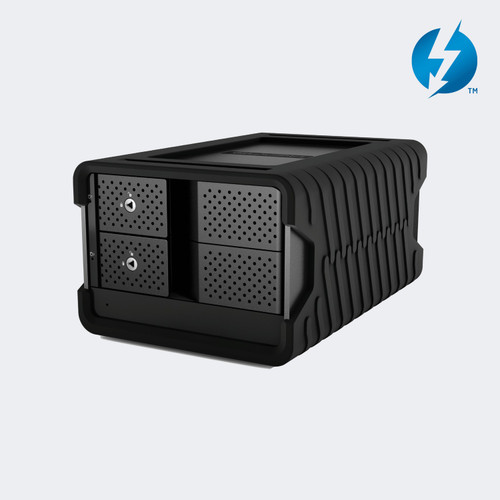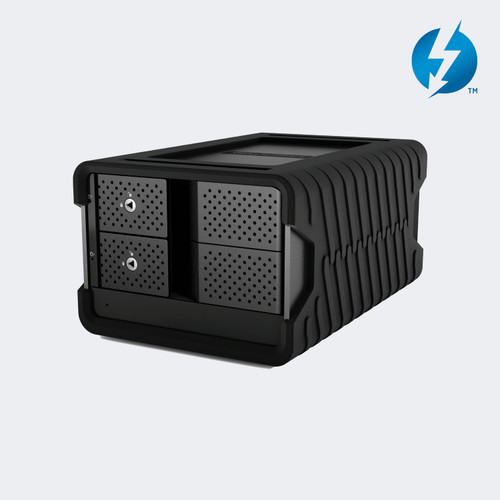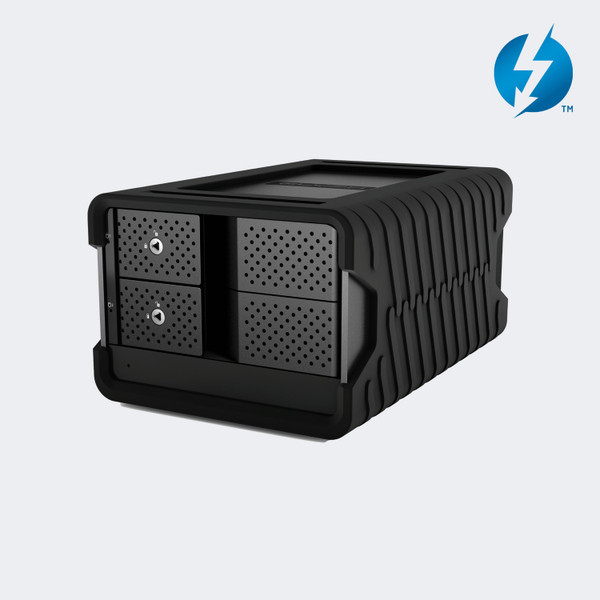


The Glyph Blackbox PRO RAID 48TB Thunderbolt 3 2-Bay Desktop RAID Drive packs two 7200 RPM enterprise-class drives (2 x 24TB) into a rugged tabletop enclosure with a built-in hardware RAID controller and dual Thunderbolt 3 ports.
The BBPR48RDTB3 is the drive-only Thunderbolt 3 version of the Blackbox PRO RAID, so it has no card reader or USB-A hub on the front panel. It ships in RAID 0 for speed, formatted for macOS, and Glyph lists transfer speeds up to 550 MB/s.
Two 40Gb Thunderbolt 3 ports let you daisy chain other devices, and a DisplayPort output on the back drives a monitor. A rugged removable cover, an external power supply, and a Thunderbolt 3 cable come in the box.
Glyph Blackbox PRO RAID BBPR48RDTB3 Features
- Two 24TB enterprise-class drives. The enclosure holds two 7200 RPM enterprise-class hard drives that add up to 48TB of raw capacity. That is enough room for days of camera originals, but in RAID 1 you only see half of it as one 24TB volume.
- Hardware RAID without software. A built-in controller handles RAID 0, RAID 1, CLEAR (JBOD), and BIG (SPAN), so you do not install a RAID application. Pins on the back panel select the mode, and the unit ships in RAID 0 for the fastest transfers.
- Dual Thunderbolt 3 ports at 40Gb. Two Thunderbolt 3 ports on the back let you connect the drive to a computer and daisy chain another Thunderbolt device from the second port. Glyph states the dual ports can chain up to five additional devices from a single computer connection.
- Up to 550 MB/s transfer speed. Glyph lists transfer speeds up to 550 MB/s, which suits editing from proxies or camera files directly off the drive and fast offloads of large shoots. Real results vary with the RAID mode, the file sizes, and the host computer.
- Built-in DisplayPort output. A DisplayPort connector on the back panel lets you run a display from the same Thunderbolt connection. Glyph says it supports a 4K monitor, so one cable from the laptop can feed both the storage and the screen on a desk.
- Rugged shell and removable cover. The aluminum shell acts as a heatsink to help hold speeds on long transfers, and a rugged removable cover protects the unit when it travels. A quiet fan on the back panel adds airflow, so keep that side clear of obstructions.
- Locking drive bays and status LED. Each drive bay has a key lock on the front. A single bi-color LED shows solid blue when powered, flashes blue with disk activity, and flashes or turns red when the drives report an error. That gives you a quick glance check from your chair.
- Formatted for Mac, ready for Windows. The drive comes pre-formatted for macOS and works with Time Machine. It also works with Windows after you reformat it, and the user guide walks through the Windows steps. Reformatting erases the data, so do it before you copy anything onto the drive.
Where the BBPR48RDTB3 Fits
Video editing suites: Keep project media, caches, and exports on one fast external volume that moves between edit bays on a single Thunderbolt 3 cable.
On-set and DIT offloads: Offload camera cards to a rugged drive in RAID 0, then mirror or copy the footage elsewhere before you wipe the cards.
Photography and audio studios: Store large photo libraries and multitrack sessions on a quiet desktop drive, with RAID 1 available when you want a mirrored copy.
Houses of worship and event production: Hold sermon, concert, and event recordings on a drive that daisy chains with the rest of your Thunderbolt gear.
Why not buy this Glyph Blackbox PRO RAID 48TB today?
Glyph Blackbox PRO RAID BBPR48RDTB3 Specifications
- Model: BBPR48RDTB3
- Type: 2-bay desktop hardware RAID drive, drive only (no card reader hub)
- Capacity: 48TB (2 x 24TB)
- Drives: Enterprise-class hard drives, 7200 RPM
- RAID modes: RAID 0 (default), RAID 1, CLEAR (JBOD), BIG (SPAN)
- Interface: 2 x Thunderbolt 3 (40Gb)
- Video output: 1 x DisplayPort
- Transfer speed: Up to 550 MB/s
- Cooling: Quiet fan, aluminum shell as heatsink
- Power: External power supply with DC input and rear power switch
- File system: Formatted for macOS, Time Machine compatible, Windows after reformatting
- Front panel: Key-locked drive bays and one bi-color status LED
- Dimensions: 8.25 x 5.5 x 4.25 in
- Weight: 10.94 lb (package weight listed by B&H; Glyph lists none)
- Warranty: 3 years hardware, 2 years Level 1 data recovery
- UPC: 691450005211
What's in the Box
- 1 x Glyph Blackbox PRO RAID 48TB Thunderbolt 3 enclosure with 2 drives
- 1 x Thunderbolt 3 cable
- 1 x Rugged removable cover
- 1 x External power supply
Why not buy this Glyph Blackbox PRO RAID 48TB today?
Blackbox PRO RAID Thunderbolt 3 User Guide (PDF)
Need help finding anything else? Call 833-WOLFPACK (833-965-3722) and we'll email it to you.
Why not buy this Glyph Blackbox PRO RAID 48TB today?
Does the BBPR48RDTB3 include the card reader hub?
No. The BBPR48RDTB3 is the drive-only version. The version with the CFast 2.0, SD (UHS-II), and USB Type-A hub is a separate part number, BBPR48RDTB3HUB.
What RAID modes does the Blackbox PRO RAID support?
Yes. It supports RAID 0, RAID 1, CLEAR (JBOD), and BIG (SPAN) with a built-in hardware controller. It ships in RAID 0, and you change modes with the pins and the SET button on the back.
How much usable space do I get in RAID 1?
You get half of the total capacity. In RAID 1 the two drives mirror each other, so the 48TB model appears as a single volume of about 24TB.
Will changing the RAID mode erase my data?
Yes. Glyph's user guide states that changing the RAID mode erases any data on the drive. Back up your files before you change modes.
Does it work with Windows?
Yes, after you reformat it. The drive ships formatted for macOS, and the user guide gives Windows formatting steps. Reformatting erases the drive, so do it before you copy data.
Can I daisy chain other devices from it?
Yes. It has two Thunderbolt 3 (40Gb) ports so you can connect it to your computer and chain another Thunderbolt device from the second port. Glyph says it can chain up to five additional devices.
Can I connect a monitor to it?
Yes. The back panel has a DisplayPort output, and Glyph says it supports a 4K monitor. Connect the monitor to the DisplayPort and the drive to your computer over Thunderbolt 3.
Does the BBPR48RDTB3 need an external power supply?
Yes. It uses an external power supply, which is included in the box, and it has a power switch on the back panel.
What warranty does it have?
The Glyph Blackbox PRO RAID comes with a 3-year hardware warranty that covers cables. Glyph also lists 2 years of Level 1 data recovery. Call 833-WOLFPACK (833-965-3722) with questions.
Is this the Thunderbolt 3 model or the USB-C model?
This is the Thunderbolt 3 model. Glyph sells a separate USB-C version of the Blackbox PRO RAID with a single USB-C port. The BBPR48RDTB3 has two Thunderbolt 3 ports and a DisplayPort.
Why not buy this Glyph Blackbox PRO RAID 48TB today?
HDTV Supply supplies desktop RAID storage for video production studios, post-production houses, broadcast facilities, photography studios, houses of worship, and live event teams.
The BBPR48RDTB3 connects over Thunderbolt 3, is formatted for macOS with Time Machine support, and works with Windows after reformatting. Its DisplayPort output supports a 4K monitor.
Why not buy this Glyph Blackbox PRO RAID 48TB today?
This Glyph Blackbox PRO RAID 48TB includes a 3-year manufacturer warranty. Questions? Call 833-WOLFPACK (833-965-3722).