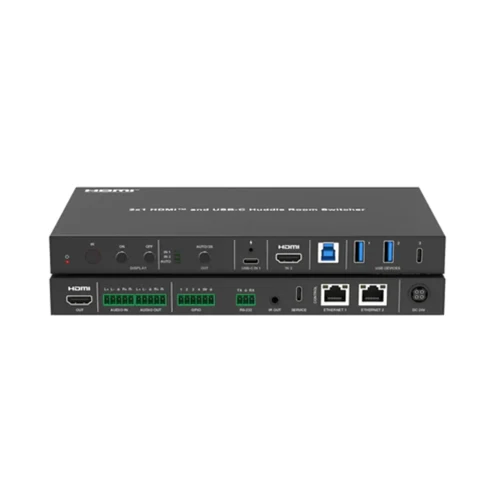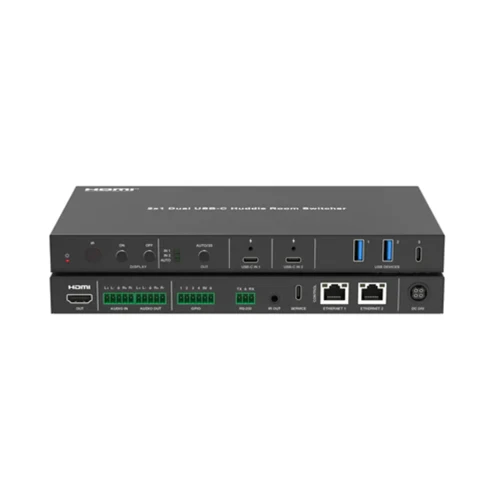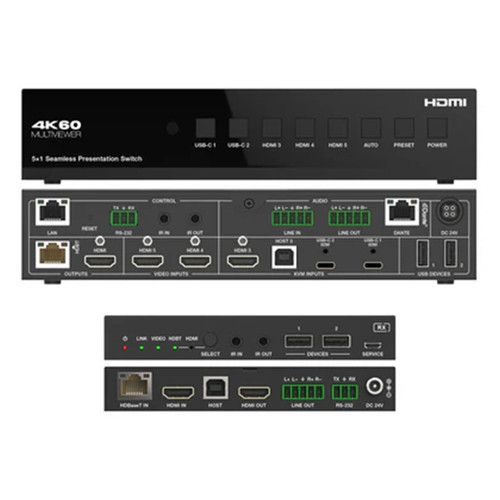






This DVDO USBC-HDMI-PS-21-Xtend 4K 2x1 Presentation Switcher / Extender with USB-C & HDMI Inputs is a 2x1 presentation switcher / extender. The transmitter includes 1 HDMI + 1 USB-C inputs and 1 HDMI with 1 mirrored HDBaseT outputs.
It supports video resolutions up to 4K60 4:4:4 and can extend uncompressed 4K signals up to 328ft/100m over HDBaseT 3.0 with a single Cat6a or Cat7 cable.
The USB-C input supports DP-Alt mode for video, 5Gbps for data transfer and 60W power delivery.
The unit provides USB switching and extension through multiple USB device ports on both Tx and Rx.
It also provides audio de-embedding with separate audio inputs on both Tx & Rx.
It can be controlled via the front panel buttons, CEC, RS232 or IP with an intuitive web GUI and supports bidirectional PoC.
DVDO USBC-HDMI-PS-21-Xtend 4K 2x1 Presentation Switcher / Extender with USB-C & HDMI Inputs Features:
- HDMI 2.0b, HDCP 2.2, HDBaseT 3.0, DP1.4
- Video resolutions up to 4K@60Hz 4:4:4 @ 18Gbps
- Transmission of uncompressed 4K & 1080p signals up to 328ft/100m over a single Cat6a or Cat7 cable
- Manual & auto switching modes
- Inputs: 1 x USB-C + 1 x HDMI
- Outputs: 1 x HDMI + 1 x HDBT (Tx) / 1 x HDMI (Rx)
- USB-C input supports 4K60 DisplayPort Alt Mode, USB 3.2 Gen 1 up to 5Gbps and 60W charging
- Audio de-embedding with separate balanced audio outputs on both Tx & Rx
- Multiple USB device ports: 2 x USB-A 3.0 on Tx / 3 x USB-A 2.0 + 1 x USB-C on Rx
- Advanced EDID management
- Control via front panel buttons, CEC, RS-232, TCP/IP or intuitive web GUI
- Bidirectional 48V PoC
Why not buy this DVDO USBC-HDMI-PS-21-Xtend 4K 2x1 Presentation Switcher / Extender with USB-C & HDMI Inputs today?
DVDO-USBC-HDMI-PS-21 User Manual
DVDO-USBC-HDMI-PS-21 Datasheet
HDTV Supply partners with DVDO to sell and support all DVDO products
Why not buy this DVDO USBC-HDMI-PS-21-Xtend 4K 2x1 Presentation Switcher / Extender with USB-C & HDMI Inputs today?
How far can uncompressed 4K signals be extended over HDBaseT with a single cable?
A: The product documentation states uncompressed 4K signals can be transmitted up to 328 ft / 100 m over a single Cat6a or Cat7 cable.
Does the HDBaseT link carry PoC power both directions?
A: Yes; the kit is documented as supporting bidirectional PoC with a 48V PoC implementation.
What USB‑C power and data capabilities are provided on the USB‑C input?
A: The USB‑C input supports up to 60W power delivery and USB 3.2 Gen 1 data at up to 5 Gbps, in addition to carrying 4K60 video via DP Alt Mode.
Can USB devices connected to the transmitter and receiver be switched and extended?
A: Yes; the unit provides USB switching and extension through multiple USB device ports on both the transmitter and receiver.
How does EDID management work on this switcher/extender?
A: EDID is managed by a 4‑pin DIP switch on the transmitter with predefined EDID options, plus support for custom EDIDs and EDID learning from outputs.
Will HDCP negotiation follow the input or the display, and can it be changed?
A: HDCP behavior can follow the source or the display and the GUI/RS232 options allow selecting the HDCP follow setting or forcing HDCP on/off for outputs.
Can the transmitter/receiver be updated in the field and is there a supported upgrade method?
A: Yes; firmware upgrades are supported via the GUI for the transmitter and via RS232 for both transmitter and receiver following the documented procedures.
Can I control display power and CEC behavior from the GUI or RS232?
A: Yes; the GUI and RS232 command set include CEC and display control functions, including toggling display on/off and configuring CEC trigger behavior.
Is there a way to lock the front panel or change the web GUI login password?
A: Yes; the Access tab in the GUI lets you modify the login password and lock or unlock the front panel buttons.