


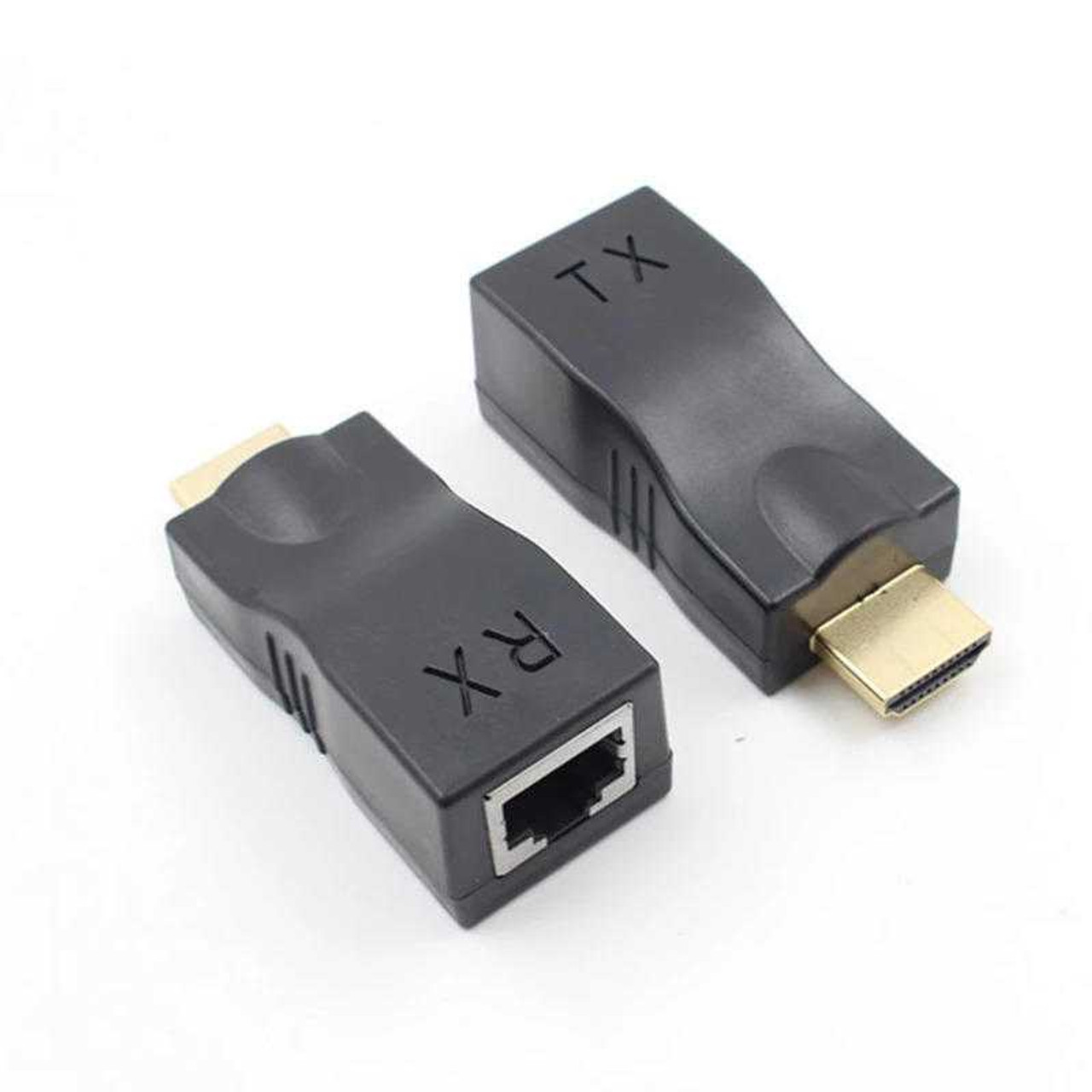


The HDTV Supply WolfPack PUNY 4K 30 Hz HDMI Extender Over CAT6 delivers 4K video up to 25 feet over CAT6 without AC adapters, making it ideal for compact installations and projector systems.
NOTE 1: The WolfPack HDMI Extender Over CAT6 includes a TX transmitter and RX receiver for reliable HDMI signal extension. It supports HDCP 1.4 and HDMI 2.0 compliance.
NOTE 2: Make sure the orientation of the Puny is the right angle for your HDMI input.
The HDTV Supply WolfPack PUNY HDMI Extender Over CAT6 extends HDMI signals up to 25 ft at 4K@30Hz or 50 ft at 1080p over a single CAT6/6e/7 cable with no external power required.
WolfPack PUNY HDMI Extender Over CAT6 Features:
- The PUNY supports 4K by 2K at 30 Hz resolutions for Post Productions, Digital Movie Theaters, CAD/CAM and Video Graphics applications.
- Supports 480i / 480p / 720p / 1080i / 1080p60 at ~50 feet
- Support 4K at 30 Hz to ~25 feet
- Signaling rater up to 1.65Gbps in support of 1080p display.
- Uses HDMI technology
- Video bandwidth of Single link 225MHz [6.75Gbps]
- Extends HDMI and IR signal over one CAT6/5e/6 cable.
- High-definition video up to 1080p@60Hz@48bits and 3D and 4K*2K capable.
- 2D and 3D compliant
- HDMI 2.0 and HDCP 1.4 compliant
- Uncompressed 7.1ch digital audio
- DTS-HD Master Audio, and Dolby TrueHD high-bit-rate audio support
- Auto equalization control for minimizing cable skew
- HDMI Deep Color
The PUNY HDMI Extender Over CAT6 delivers audio, video, and control signals with zero degradation at distances up to 75 feet. This HDCP compliant extender supports High Definition 1080p resolutions, 48-bit color, 7.1 channel digital audio and auto equalization.
Why not buy this WolfPack PUNY HDMI Extender Over CAT6 today?
WolfPack Puny HDMI Extender Over CAT6 Features:
- One pair as fully functional module with no need of any settings.
- CAT-5e/6 cable can substitute HDMI cable to achieve long distance transmission.
- Follow the standard of IEEE-568B.
- Compact size.
- HDPC compliant
Installing the WolfPack PUNY HDMI Extender Over CAT6:
- Plug the fixed HDMI cable of the sender into the HDMI input source, such as a DVD, PS4, STB etc.
- Connect the TX HDMI adapter Single CAT-5e/6 cables, then the other end to the RX HDMI adapter to both the output of the transmitter and input of the receiver.
- Plug the fixed HDMI cable of the receiver into the HDMI display, such as: HD-LCD, HD-DLP etc.
Why not buy this WolfPack PUNY HDMI Extender Over CAT6 today?
CAT6 Installation Tips (Don't Use Patch Panels)
Why not buy this WolfPack HDMI Extender Over CAT6 today?
A: Yes, we have tested it with an upscaling 4K at 30 Hz DVD player and a new Vizio 4K TV, and it passed 4Kx2K at 30 Hz. It works with the Xbox One and cable boxes also with CAT6 going 25-feet